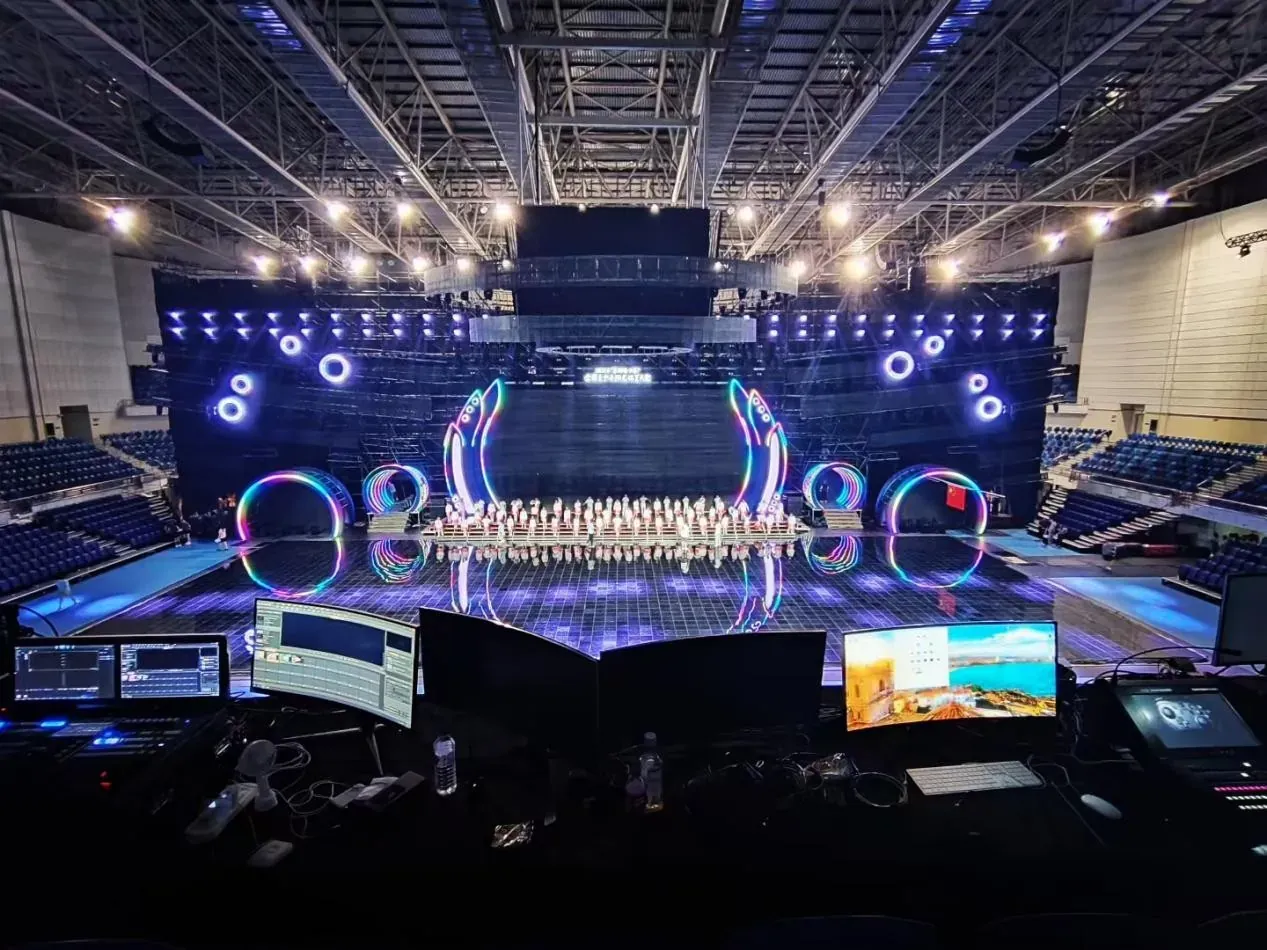
Once a live cue has passed, the audience cannot be asked to ignore a freeze while the operator repeats it. Reliability at an event is therefore built around frame deadlines, known signal paths, recoverable scenes, and a configuration already proven with the actual show files.
A live event media server must be evaluated as part of the production chain from capture through rendering to every program output. A high headline resolution matters only when the machine can sustain the complete scene and respond predictably to source changes.
Define Latency at the Complete Signal Path
Low latency is the elapsed time from an external event or captured frame to its appearance on the display, not a vague description of processor speed. The live event media server contributes capture, buffering, composition, scaling, and output delay, while cameras, converters, switchers, LED processing, and the display add their own intervals.
Measurement should therefore use the intended chain and operating mode. A practical latency test records a time reference visible to the camera and the final display. Repeating the measurement during switching and scene changes exposes delays that a steady playback test can miss. Some buffering is necessary to maintain stable video, so the lowest theoretical delay is not always the safest configuration.
The production requirement should state which feeds are latency-sensitive, whether lip synchronization matters, and how much variation is acceptable. A camera shown beside a performer is more demanding than a background loop with no visual reference to the stage. Testing those cases separately prevents one easy source from hiding a difficult one.
Reproduce the Heaviest Approved Scene
Codec, bitrate, frame rate, layer count, effects, and simultaneous media windows determine the rendering burden placed on a live event media server. A short demonstration clip may play smoothly even though the final program combines several 4K assets, a captured presentation, transparency, and a custom output raster.
The validation scene should represent the greatest simultaneous workload, not the average cue. Sustained playback is also more informative than a brief preview. Thermal behavior, storage access, and memory pressure may appear only after the show has run for a meaningful period.
Operators can log dropped frames, input interruptions, and output-mode changes during rehearsal, then retain the tested project, media hashes, driver state, and EDID configuration as part of the show record.
Match Capture and Output Topology to the Stage
Port count becomes useful only after each connection has an assigned purpose. A live event media server may need several program outputs, an operator preview, an independent monitor, and multiple capture feeds.
Custom-resolution outputs can address unusual LED canvases, while EDID locking protects the approved timing from an unexpected negotiation after equipment is reconnected. The T3 Plus in Kystar‘s Kommander T-series provides four DP 1.2 program outputs plus independent monitoring and preview paths. Its program outputs support custom resolutions, EDID locking, and GPU splicing.
Full-process GPU acceleration supports smooth 8K@60Hz playback, and four external 4K signals can be captured simultaneously, with each capture port supporting up to 3840 x 2160@30Hz. Capture capacity, playback capability, and output routing apply to different stages of the workflow, so each should be matched separately to the actual sources and destinations.
Consider Portability as an Operating Requirement
Touring hardware is repeatedly packed, transported, cabled, and commissioned in unfamiliar spaces. A live event media server intended for that work needs a physical form and operator interface that shorten setup without obscuring signal verification.
Built-in monitoring can be valuable when control-room space is limited, while a flight-case construction reduces the number of separate items that must be assembled on site. Kystar T1 Portable combines a 15.6-inch 1080p display, keyboard, touchpad, and flight-case design with multiple DVI, DP, and HDMI outputs.
It supports 8K hardware decoding and at least four simultaneous 4K or eight 2K videos. These capabilities suit portable production only after the output groups, adapters, cable lengths, monitoring path, and approved show scene have been tested as one deployment.
Build Recovery into the Rehearsal
Redundancy is credible only when the standby state can replace the active state without introducing a new timing or project error. A live event media server workflow should define how media, timelines, configuration, and output modes are kept consistent between primary and backup systems.
KFS frame synchronization and model-dependent primary/backup operation can support this design, but the changeover still needs to be rehearsed under realistic load. The rehearsal should include loss of a capture feed, interruption of an output, a project reload, and the approved failover action.
Operators need clear authority to switch systems and a preview that confirms the standby result before it reaches the audience. Power and signal distribution deserve the same treatment as software redundancy. Two synchronized machines connected to one power strip, one network switch, or one downstream converter can still share a failure point.
The production diagram should identify which components are duplicated, which remain common, and how the crew will recognize a failure outside the server. This prevents a nominal backup configuration from being credited with protection that the surrounding stage infrastructure does not provide.
The most reliable selection is consequently the one that reproduces the production’s worst scene, measured latency, physical setup, and recovery sequence. The selected system is ready for show use when those conditions are repeatable, not merely when its specification sheet contains the largest numbers.